



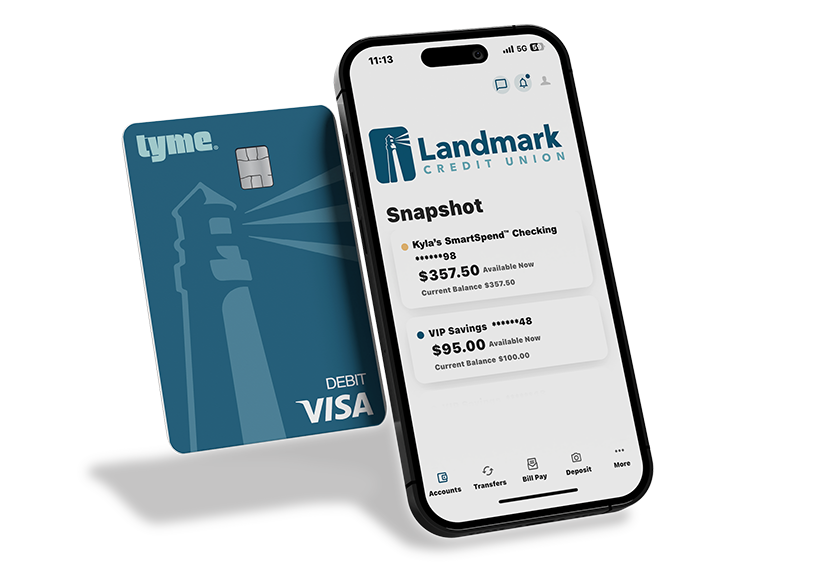
NEW! SmartSpend Checking™
We get it. Handing over that first debit card is a big step. But in today’s increasingly cashless world, it’s often a necessity. That's why we created SmartSpend Checking™, available to ages 10-17 with a parent or guardian. It gives your child real-world spending experience, with the safeguards you need for peace of mind.
- Real-World Practice, Zero Risk: With no overdraft fees, monthly fees1 or minimum balances, they can learn the ropes without any costly “oops” moments. If the money isn't there, the transaction simply won’t go through.
- Debit Card With Parental Controls: They’ll get their own free contactless Visa® debit card for easy tap-to-pay purchases. Plus, you can set spending limits and lock or unlock their card anytime using Parental Controls.
- Hands-On Learning: Whether they are a earning their first allowance or their first paycheck, it’s the smarter way to manage money together.
Start Saving!
It’s time to upgrade from the piggy bank. Whether they’re saving up for a new pair of sneakers or for college, keep their money secure and easy to access with a VIP Savings account. Open with as little as $5. Ages 10-12 can open a savings account in branch, and ages 13-17 can open in branch or online with a parent or guardian.
- Earn 0.05% APY2 on balance
- ATM card available for convenient cash withdrawals at 34,000+ in-network ATMs
- Easily mobile deposit checks with our app
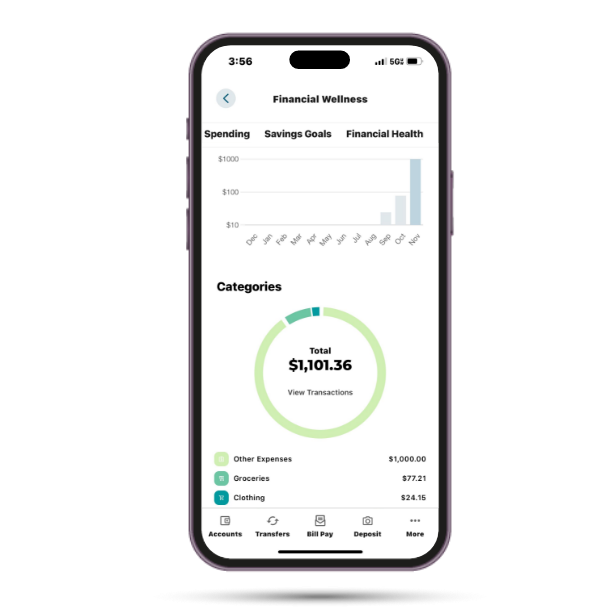
Teach Your Kids Smart Money Habits
Give your kids the tools to learn, practice and manage money with features in Digital Banking:
- Online Learning Center: They can take bite-sized courses on topics like budgeting, saving and paying for college.
- Financial Wellness: Track spending, set savings goals and build healthy financial habits together.
- Set Up an Allowance: Schedule one-time or recurring allowance payments to reward hard work and teach money management.
Parental Controls
Get total oversight and total peace of mind. Our youth checking and savings accounts include Parental Controls over their debit card that give you real-time visibility, customizable spending limits and added security – all from our mobile app.
-
Lock and Unlock Their Card
Misplaced debit card? No problem. Instantly lock or unlock their card right from our app. -
Keep an Eye on Spending
Set custom spending limits and review transaction history in real-time. You’ll always know exactly where their money is going. -
Instant Alerts
Stay in the loop with real-time alerts. Get notified the moment they make a purchase, big or small. You set the rules. -
Manage Merchant Categories
Want them to spend money on gas but not late-night gaming? You can restrict purchases to specific merchant categories. -
Location Limits
Set geographic boundaries so their debit card only works in the areas you approve.
Account Features by Age
Ages 10-12
Visit a branch to open a checking or savings account.
- Debit card with Parental Controls (checking only)
- ATM card (savings only)
- Digital Banking access
- Mobile deposit
- Direct deposit
Ages 13-17
Open a checking and savings account online or at a branch.
- Debit card with Parental Controls (checking only)
- ATM card (savings only)
- Digital Banking access
- Zelle®
- Mobile deposit
- Direct deposit
Requirements to Open a Checking Account
-
Joint Account Ownership
A parent or legal guardian is required to be a joint owner until the age of 18.3
ID Requirements for Branch Account Opening
Open at a branch with any one of the following photo IDs:- Current driver’s license* or state-issued photo ID
- School ID
- Passport
Find a Branch
*We cannot accept the paper receipt that the DMV issues for you to use while you wait to receive your license or ID card in the mail; we will require the plastic ID card.
-
Joint Account Ownership
A parent or legal guardian is required to be a joint owner until the age of 18.3
ID Requirements for Online Account Opening
Two forms of ID are required. Acceptable forms of photo ID include one of the following:- Current driver's license* or state-issued ID
- School ID
- Passport
- Birth certificate
- Social Security card
Bring any one of the following photo IDs:- Current driver’s license* or state-issued photo ID
- School ID
- Passport
Getting Started is Easy as 1-2-3!
Ready to help them open their first checking account? Here is how to get them started on the right foot.
-
![]()
Apply
Open the Account Online or at a Branch
Children ages 10-17 will require a parent or guardian to open their account, and account openings for ages 10-12 must be done at a branch.
-
![]()
Register
Set Up Parental Controls
Set limits on their account through Parental Controls in Digital Banking.
-
![]()
Let's Go!
Real-World Practice Starts Now
Your child can start using their card to build smart habits. Whether they’re saving for a goal or managing their first paycheck, they’re learning to navigate a cashless world under your guidance.


Explore More Checking Options
While SmartSpend Checking™ is our top pick for a first account, we offer a full range of options to match your child’s progress. If they’re ready to earn rewards or dividends on their balance, explore our other checking accounts to find their perfect fit.
Frequently Asked Questions
Open Youth Account-
To access your child's statements, your child will need to enroll in eDocuments through their Digital Banking account. Note: You will not be able view their statements in your own Digital Banking account as the parent or guardian.
Use these steps to enroll in eDocuments:
Set up eDocuments Through Digital Banking- Log into Digital Banking.
- Locate "Accounts" in the top navigation.
- Select "Statements and Documents."
- Select "Subscribe."
- Review and accept the user agreement.
- Click the "Subscribe" button.
- Log into the Landmark app on your phone.
- Tap "More" in the bottom navigation.
- Tap "Accounts."
- Tap "Statements and Documents."
- Tap "Settings" in the upper-right corner.
- Tap "Subscribe" in the upper-right corner. Review and accept the user agreement.
- Tap "Subscribe" in the upper-right corner.
-
You can set up Parental Controls using the following steps:
- Navigate to Card Management in Digital Banking.
- Enter your child’s debit card number. Complete the multi-factor authentication, when prompted.
- Now you can lock/unlock you child’s card, set spending limits and more.
-
- Log in to Digital Banking (your account as the parent or guardian).
- Navigate to Card Management in Digital Banking.
- Enter your child’s debit card number.
- Complete the multi-factor authentication (note: this will go to the child’s email or mobile phone number), when prompted.
- Now you can lock/unlock you child’s card, set spending limits and more.
-
Ages 13-17
If your child is 13 or older, you can open a checking account and/or savings account online,or at any branch.
If your child is 10-12, please visit a branch to open a checking and/or savings account.
Ages 10-12
ID Requirements for Branch Account Opening
Bring any one of the following photo IDs:- Current driver’s license* or state-issued photo ID
- School ID
- Passport ID
Two forms of ID are required. Acceptable forms of ID include:- Current Wisconsin driver's license* or state-issued ID
- Birth certificate
- Social Security Card
-
Once your child turns 18, they will gain access to additional Digital Banking features, including Card Management, Credit Hub and Bill Pay.